
Hobbyist gamedev/programmer


GoPICO is an LSDJ style handheld code/gfx/map editor for PICO-8
To use, please install on your copy of PICO-8 under a new directory, and create two directories "data" and "export" on the same level as gopico.p8.png. This cart will NOT function on the BBS.
Using only the directional keys, Z,X and pause menu, you can navigate to this cart through splore on a handheld device, create, edit, run, and save a completely functional PICO-8 cart without ever using a keyboard.
When saving, code is saved as compressed codeblocks into the ROM of a cart, data/yourgame_code.p8, and the rest of the is stored normally into data/yourgame_rom.p8. When running, it prints out the code to a cartridge, copies over the rom, then loads into it.


 1 comment


3 Bullets 2 Samurai 1 Survivor
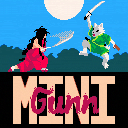
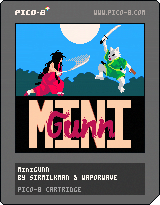
Mini GUNN is a fan demake of the Samurai GUNN series, that distills the fast-paced action into a byte sized couch party versus game. Grab a friend and fight to the death!
You can use tools like Steam Remote Play or Parsec to connect with your friends online.
 10 comments




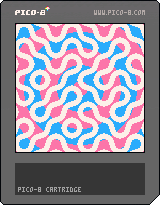
I made trebuchet (truchet) tiling, a clone of my first shadertoy project https://www.shadertoy.com/view/lfKSDW
after making that, I just started 10 print in pico-8 and didn't stop
0 comments




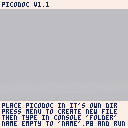
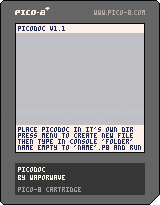
After seeing PICO-Tune, PICO-CAD, and PIC-OS I thought it would be cool to make my own utility tool, so somehow that lead me to create the lamest tool I could think of! A document tool! Yay!
A few notes on operation:
This does not work on web, it is a local PICO-8 tool.
To use this tool, put it in a folder in your OS, name it something like Docs.
Once you start up the tool you can hit the menu button and click create new document to create an empty document.
Then go into the directory and rename the new document to <name>.p8 and run this file.
After you go through the document setup as many times as you want, you can use PICO-Doc normally.
0 comments
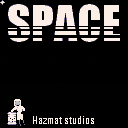
SPACE is a game made by Hazmat Studios
The only objective is to win as many rounds as you can!
Controls:
Left/Right arrow keys for Rotate
Up/Down arrow keys for Thrust
X for shooting and menu
1 comment