


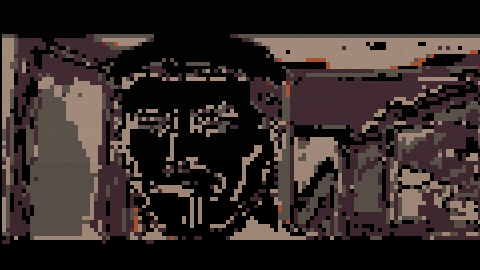
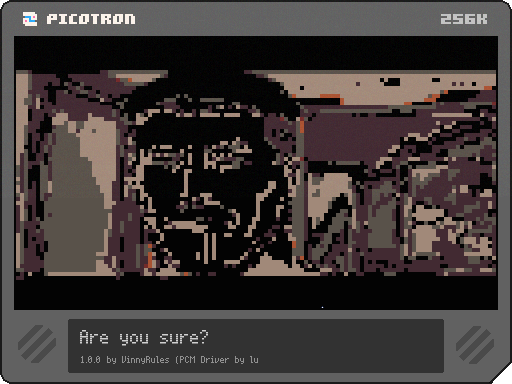
Hello! I whipped up this stupid meme in about an hour..
So let me tell you how it works!
Audio
So, I used @luchak 's Picotron PCM Driver: https://www.lexaloffle.com/bbs/?tid=141655
It uses Unsigned 8bit PCM @ 44100KHz, so I used audacity to export my normal audio file as a Raw (headerless) 8bit Unsigned PCM Audio file at 44100KHz.
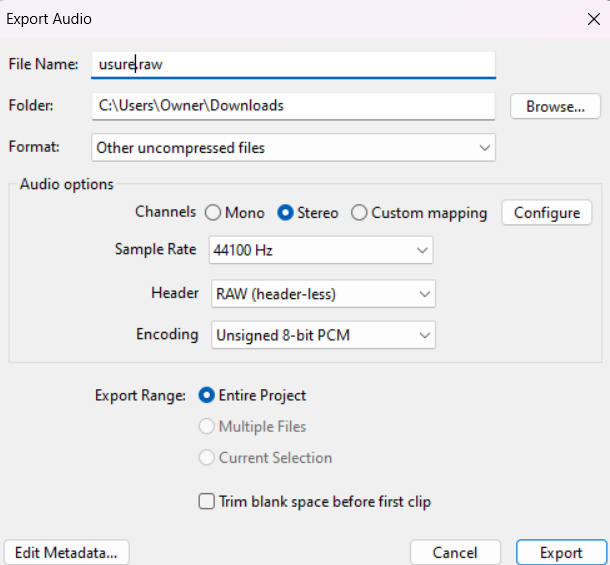
I then dropped that into my cart, and that's that.
As for playback, here is my code:
include "pcm.lua"

audioraw = nil
sample = 1 -- Index in terms of frames (left and right samples)

function get_audio(n_samples)
	local sound_left = userdata('f64', n_samples)
	local sound_right = userdata('f64', n_samples)

	local multiplier = 1.0 / 127.5 -- Normalize 0-255 to roughly -1 to 1

	for i = 1, n_samples do
		local left_index = (sample + i - 1) * 2 - 1 -- Left channel byte index
		local right_index = (sample + i - 1) * 2 -- Right channel byte index

		sound_left[i] = (audioraw[left_index] or 0 - 127.5) * multiplier
		sound_right[i] = (audioraw[right_index] or 0 - 127.5) * multiplier
	end

	sample += n_samples

	return sound_left, sound_right
end

function _init()
	-- load audio
	print("Loading audio...")
	audiotxt = fetch("usure.raw")
	audioraw = userdata("u8", #audiotxt)
	for i = 1, #audiotxt do
		audioraw[i] = string.byte(audiotxt, i)
	end

	sample = 1 -- Initialize sample frame index to 1

	pcm_callback, pcm_start, pcm_stop = pcm_init() -- Pass the samplerate to pcm_init if it accepts it
	if pcm_start then
		pcm_start()
	end
end

function _update()
	pcm_callback(get_audio)

	-- Restart audio when finished
	if sample > #audioraw / 2 then -- Divide by 2 because each frame has 2 bytes
		sample = 1
	end
end |
Honestly, I have no idea how it works. One third of it is luchak's example code, one third of it is my own mess, and the last third is from Gemini :')
All I know is that it sounds like the audio I gave it, so it's probably okay.
Video
The video was pretty straight forward.
I took the original video, downsized it to 120x68px (I'm sure Picotron could handle more), made it 5fps (I'm sure Picotron could handle more), and exported each frame as an individual png.
I then painstakingly dragged and dropped each png into the Graphics editor until I had all of them.
I'm sure there's an easier way to do this, but I wanted to do it quick and dirty.
The code is very simple:
frame = 1
framerate = 5

function _draw()
    cls()
    sspr(frame, 0, 0, 120, 68, 0, 0, 480, 270)
end

function _update()
    frametime += 1/60 -- _update() is called 60 times per second

    local target_interval = 1 / framerate -- Calculate the desired time interval between frames

    if frametime >= target_interval then
        frametime -= target_interval -- Reset the accumulated time, possibly with leftover
        frame += 1                 -- Move to the next frame

        -- Add logic to handle reaching the end of your animation frames
        if frame > 33 then
            frame = 1 -- Loop back to the beginning
        end
    end
end |
Throw this all together in one big mess, and you get this cart!
In the future, I would like to use this to make a fully fledged video player, but in the meantime, feel free to
use this code and improve on it!




This is a very clear example and very helpful to me. Thank you.
Regarding reading raw audio data, I think it's better to write it out as pod data once, because it makes reading it faster the next time.
audiotxt = fetch("usure.raw")
audioraw = userdata("u8", #audiotxt)
for i = 1, #audiotxt do
  audioraw[i] = string.byte(audiotxt, i)
end
store("/audio.pod", audioraw) |
Write it out like this.
audioraw = fetch("/audio.pod") |
This makes loading quick and easy.
This is nice because the pods are smaller than the raw data.
I knew about luchak's pcm.lua but didn't really know how to use it so I put it on hold.
Now I feel like I can make something using audio samples.
Thank you so much.
@sugarflower I didn’t think of that! I just programmed it so I could throw any file straight from audacity into it. In the future, I’d like to work on an actual audio format for this.
[Please log in to post a comment]


