





-水霊魂-(Mizuchidama)
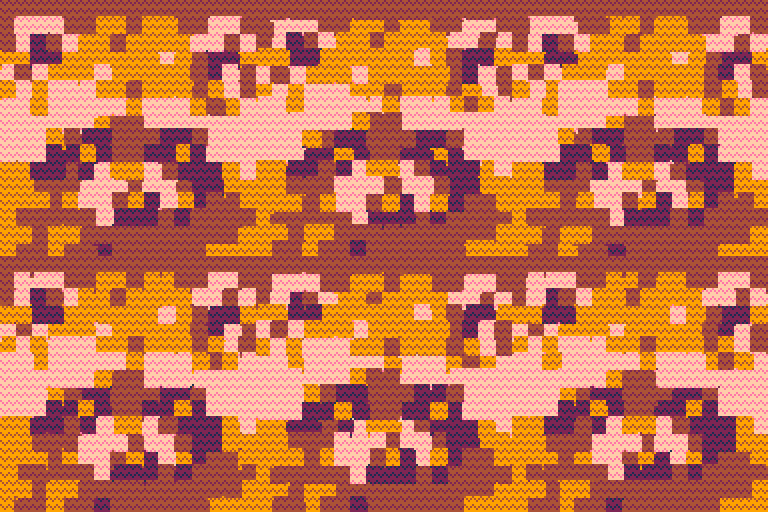
5-level color drawing using bitmask.
Color Palette

(294 chars)
n,q=rnd,circfill s=n()::∧::cls()?'\^!5f11¹¹😐¹😐😐ᶜ¹😐😐ᶜ😐ᶜᶜ⁷' w,d,l,f,g,h=0x0fff,0,0xf0,q,q,circ while w do for j=0,11 do for i=0,15 do srand(s+j<<>t()\3)x=n()*128o=(t()+i)*0.1875r=24*n()i=1<<(i%4)poke(0x5f5e,w|i)f(x+sin(o)*r,n()*128+cos(o)*r,r,w>><8|i) end end w,d,l=d,l f,g,h=g,h end flip()goto ∧ |


 7 comments






Feature Overview
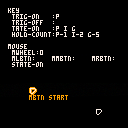
Buttons input
getbtns() updates the extended button(key) input state.
- This must be done in the
_update()function. - Required
poke(0x5f2d,1) - button values:
- btrg: returns true only for frames where a key was entered.
- butrg: returns true only for frames where a key was released.
- btns: returns true whenever the key is pressed.
- btnc: returns the count while the key is held.[number]
- _key: typed characters.[string]
- _ent: enter key typed.
- _del: delete/backspace key typed.
- modifier keys values:
- _ctr: ctrl/command key pressed.
- _alt: alt/opt key pressed.
- _sft: shift(left) key pressed.
0 comments
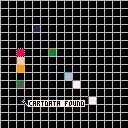

Use this to check that the saved state of the game, such as mid-game progress, is the initial state (all 0).
print(iscdataempty() and 'cartdata empty' or 'cartdata found') |
- Returns true if it is in the initial state.
- Returns false if there is any data contained in it.
- This function consumes 14 Token.
With this test cart, we will verify that entering CARTDATA with the mouse will cause it to return to its initial state.
You can reset CARTDATA in the pause menu.
0 comments
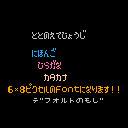

Japanese is output using a custom font.
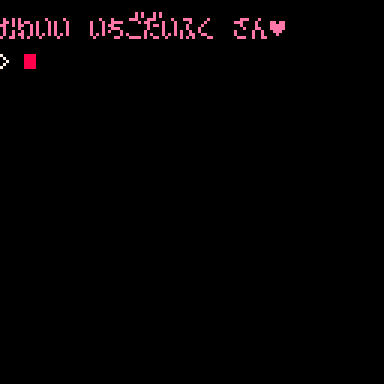
Also, voiced consonants and semi-voiced consonants(濁点・半濁点) are adjusted to be placed at the top of the characters.
jprint('かわいい いちこ゛た゛いふく さん♥',14) -- Usage is the same as for print(). |
ぁぃぅぇぉ,ァィゥェォ does not exist as a character in standard Pico-8.
Therefore, we have rewritten the default emoji as shown in the table below.
'ぁ' > '…' ,'ぃ' > '➡️' ,'ぅ' > '★' ,'ぇ' > '⧗' ,'ぉ' > '⬆️', 'ァ' > 'ˇ' ,'ィ' > '∧' ,'ゥ' > '❎' [ [size=16][color=#ffaabb] [ Continue Reading.. ] [/color][/size] ](/bbs/?pid=155450#p) |
2 comments


This is the file name input code for writing a .p8l file with printh.
The following characters are excluded from input to make it safe to enter file names:
'\\/:*?"<>|!\'#$%&()+-*^=~`@{}[]<>,.;' |
If these characters are included in the file name, an error will occur and I have experienced my edited data being ruined. This is to prevent this from happening.

By the way, there is no reference document for the excluded characters, and it seems that there are more characters that pico8 cannot handle in file names than the host OS.
I have not checked the excluded characters in detail and have set them based on a guess. Has anyone checked all the excluded characters?
0 comments
Below is v0.3


Overview
This is a sequencer that plays sounds from a waveform memory mechanism through PCM.
It achieves several things that could not be done with the Pico-8 standard tracker.
Operation
Mainly mouse operations.
When you press a key on the keyboard, it makes a sound
Basic screen

- Channel tab: Left click to select, mouse wheel to mute/unmute.
- Channel panel: Mouse wheel to adjust sequence speed (0-63), left click to open view.
- Space bar to play track.
- Press and hold enter to open the menu.
2 comments
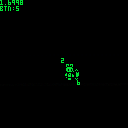

z: Slow animation
x: Action animation
For simplicity of use, the sprite table is determined as a state flag.
0 comments


フラワーオブライフのような模様を描画してみたくなり、作ってみました。
クエリは"HTBL()"の解析をある程度理解する必要があります。まずサンプル(tab:6)を見てください。
演出はパートでテーブル区切られており、パートごとに描画グループを複数設定することができます。
クエリ作成(QUERY)
描画グループの指定
{id number radius color distance angle [option]}
- id: 操作する描画オブジェクトのインデックス
- number: 描画する数
- radius: 描画する円の半径
0 comments
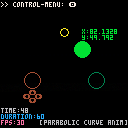

Displays an animation of a parabola.
After opening the menu, use the up and down keys to select the item you wish to control.
Z: open control menu / close control menu
- START: Specifies the animation start position.
- TARGET: Specifies the animation end position.
- HEIGHT: Adjusts the height of the middle point.
- DURATION: Specifies the animation length. (If TIME exceeds DURATION, the animation will start from the beginning.)
- FRAMERATE: Switches the frame rate to 30 or 60.
0 comments
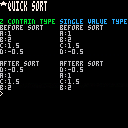

Feature Overview
QSORTZ() Quick sort by z.
- sorts by reference to z from the argument table.
- See the code in the cart for the single value type
QSORT()where table t is sorted by v. - This function consumes 76 Token.
tb={{id='a', z=1}, {id='b', z=2}, {id='c', z=1.5}, {id='d', z=-0.5}}

?'before sort',6
for i,v in pairs(tb) do
	?v.id..':'..v.z
end

qsortz(tb,1,#tb)

?'\nafter sort'
for i,v in pairs(tb) do
	?v.id..':'..v.z
end
--[[
before sort
a:1
b:2
c:1.5
d:-0.5

after sort
d:-0.5
a:1
c:1.5
b:2
]]
|
0 comments
When turning knobs in the SFX or instruments editors, it can be difficult to adjust by dragging.
This happens when the window size is x2 or more and you use Alt + Tab to switch application windows.
As a temporary fix to this problem, you can restore adjustments by returning the window to normal size.
This has been the case since the version before v0.1.0h when the mouse lock function was added.
0 comments


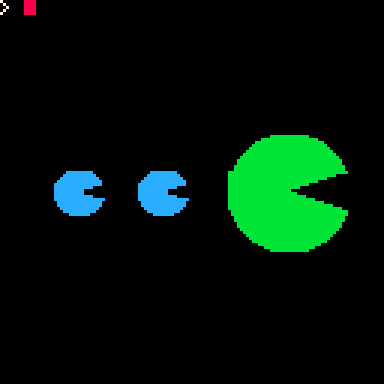
Feature Overview
SECTFILL() Fill sector shape.
- The start and end angles are specified from 0 to 1.
- If the difference between the start angle and the end angle is 0.5 or more, it is a semicircle, and if the difference is 1 or more, it is a circle.
- If the start position is higher than the end position, it is replaced.
- This function consumes 428 Token. (segfill & trifill ver: 185 Token + trifill's Token)
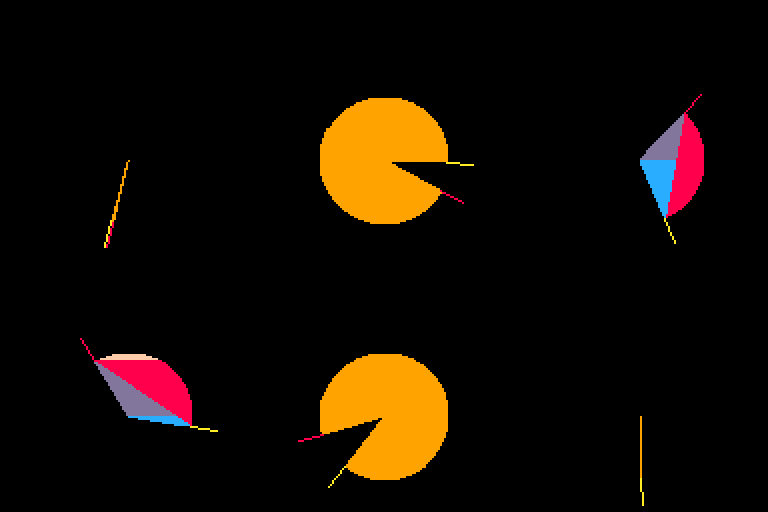
-- Draw the Mouth characters sectfill(96,64,20,11,-0.2,0.9)-- x, y, size(radius), color, start angle, distance sectfill(54,64,8,12,-0.2,0.9) sectfill(26,64,8,12,-0.2,0.9) |
 3 comments



Feature Overview
SEGFILL() Fill segment shape.
- The start and end angles are specified from 0 to 1.
- If the difference between the start angle and the end angle is 0.5 or more, it is a semicircle, and if the difference is 1 or more, it is a circle.
- If the start position is higher than the end position, it is replaced.
- This function consumes 314 Token.
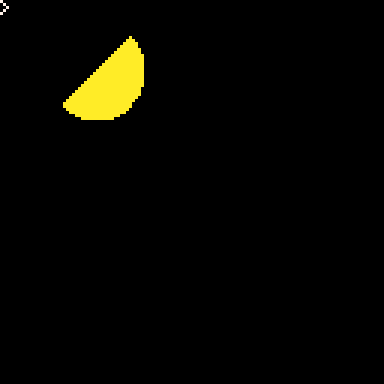
-- Draw a half moon segfill(32,24,16,10,0.625,0.5) -- x, y, size(radius), color, start angle, distance |
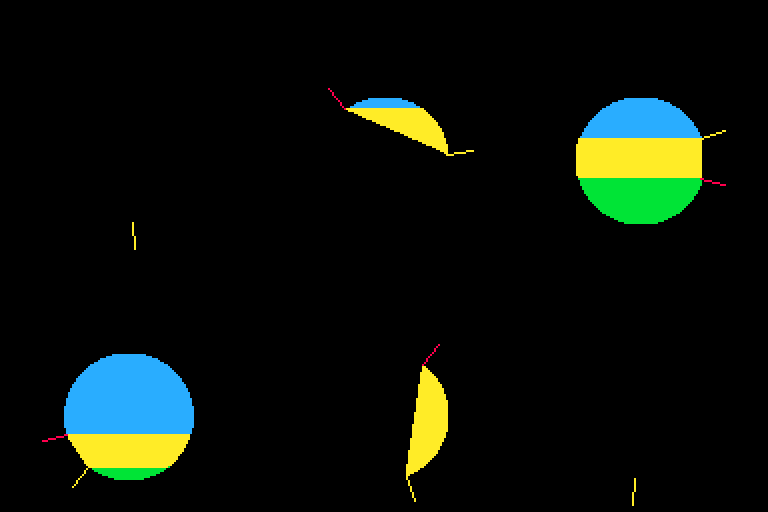
It may be helpful to understand how it works by executing a COLOR COMMENT OUT line.
 4 comments


You can grab it with a mouse click and drag it to throw it.
Shellsort seems to have a slightly better affinity with this 3D rendering engine.
Release note
- v0.2 Added sorting functionality and the ability to toggle object states.
- v0.1 Release
PELOGEN 2 is a 3d model engine running on pico8.
https://www.lexaloffle.com/bbs/?tid=140324
0 comments
number has no integer representation |
v0.1.0g
NUMBER with a decimal point cannot be operated with the bitwise operator.
Or is there a workaround to bitwise the decimal point?
 11 comments

When the code that sets the window property and executes vid() is run, the file browser is covered by the console screen.
In this state, you cannot return to the file browser unless you type exit into the console.
window{
 width=128
 ,height=128
}
vid(3) |
I don't understand the underlying mechanism, so it's hard to offer suggestions for a solution...
but something like these may be what we need.
- Restrict the use of window and vid() at the same time.
- If a new console is running, even in a window application, close window and console after execution is finished.
- Running window application from CART RAM is always done on the console screen.
I hope i can find a simple solution.
0 comments

When selecting notes on the SFX screen, if they extend above the top level, an unusual note will be pasted.
This is the clipboard content at that time.
--[[pod_type="notes"]]unpod("b64:bHo0AD8AAABJAAAA9Qt7bm90ZXM9cHh1AEMgBQkEAC--AA8oDA8gEAYAgQgQDgwIEA8wDwAEBgDwAggQDQwIECx4MD0wLHgxPTh9") |
Also, when copying all notes in a track and pasting them to another track with no selection, the track will be formatted incorrectly and will not play.
There is no way to recover except to do an undo.
0 comments


- Play detune using a custom waveform.
- 2ch is synthesized and played using a classical mechanism.
- Simple memory rotation is lightweight.
If you have created custom waveforms for the two SFX in advance, you should be able to perform detune with just this.
music(1) sfxb=0x3200+1*68 --sfx 1 function _update() poke(sfxb,peek(sfxb+63),peek(sfxb,63)) --rotate waveform memory end |
update history
- v0.2
- Change duty display
- SFX selection toggle.
- Note Adjustment.
- v0.1
- first release.
0 comments

